Schedule technicians, manage territories, and turn completed jobs into invoices — with a mobile experience built for people working in the field, not at a desk.
Built for these industries
Not just scheduling and invoices. The parts of the job that are usually held together with phone calls and guesswork.
Run separate customer accounts — each with its own jobs, invoices, and reports — side by side in a single dashboard. Filter down to one client in a click, or zoom out to everything across all of them.
Every job goes to the best-fit technician — ranked by skill, service-area coverage, rating, and current workload, not just whoever's free.
See exactly where every technician is right now, plus their full travel history against each job — no more guessing on ETAs.
Set response and completion targets per job status, then watch a live dashboard for jobs approaching or past their deadline.
Ratings are confirmed with a one-time code before they post, so your technician leaderboard reflects real feedback, not noise.
Set commission rules per technician or job type, run payouts, and hand over a clean statement — no spreadsheet math.
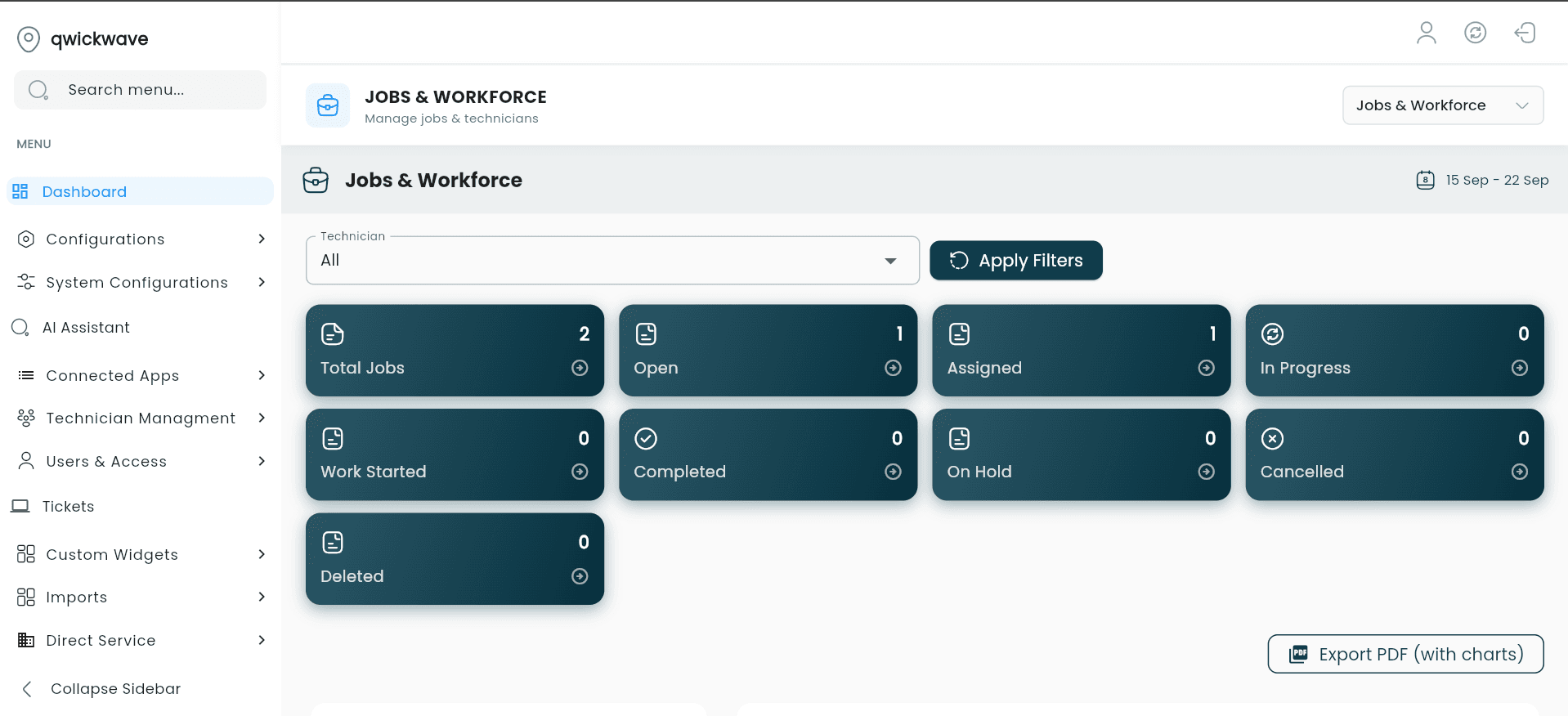
Real screens from the technician app — not mockups. A supervisor's daily overview, the job list, full job details, and the activity timeline that logs itself.
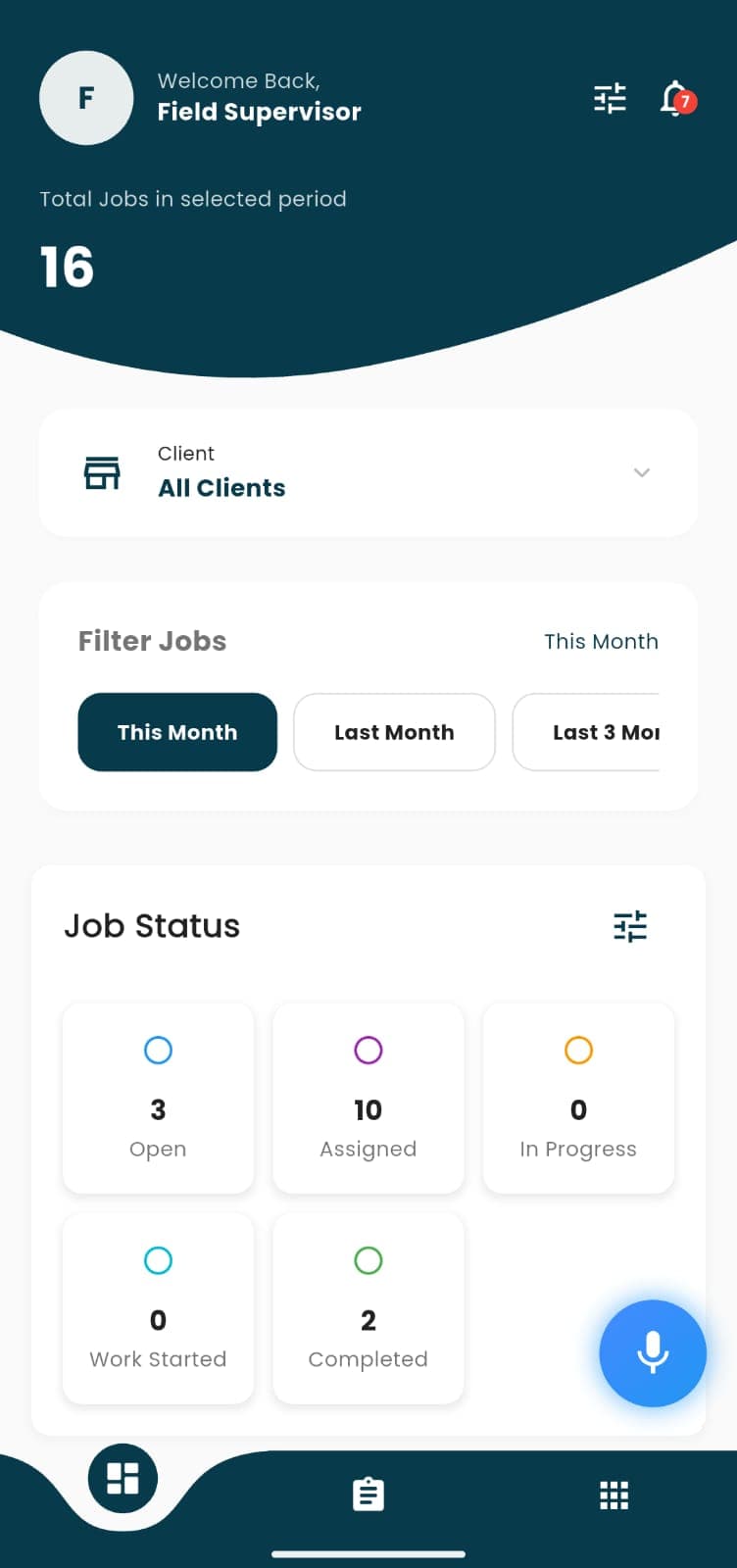
Daily job overview
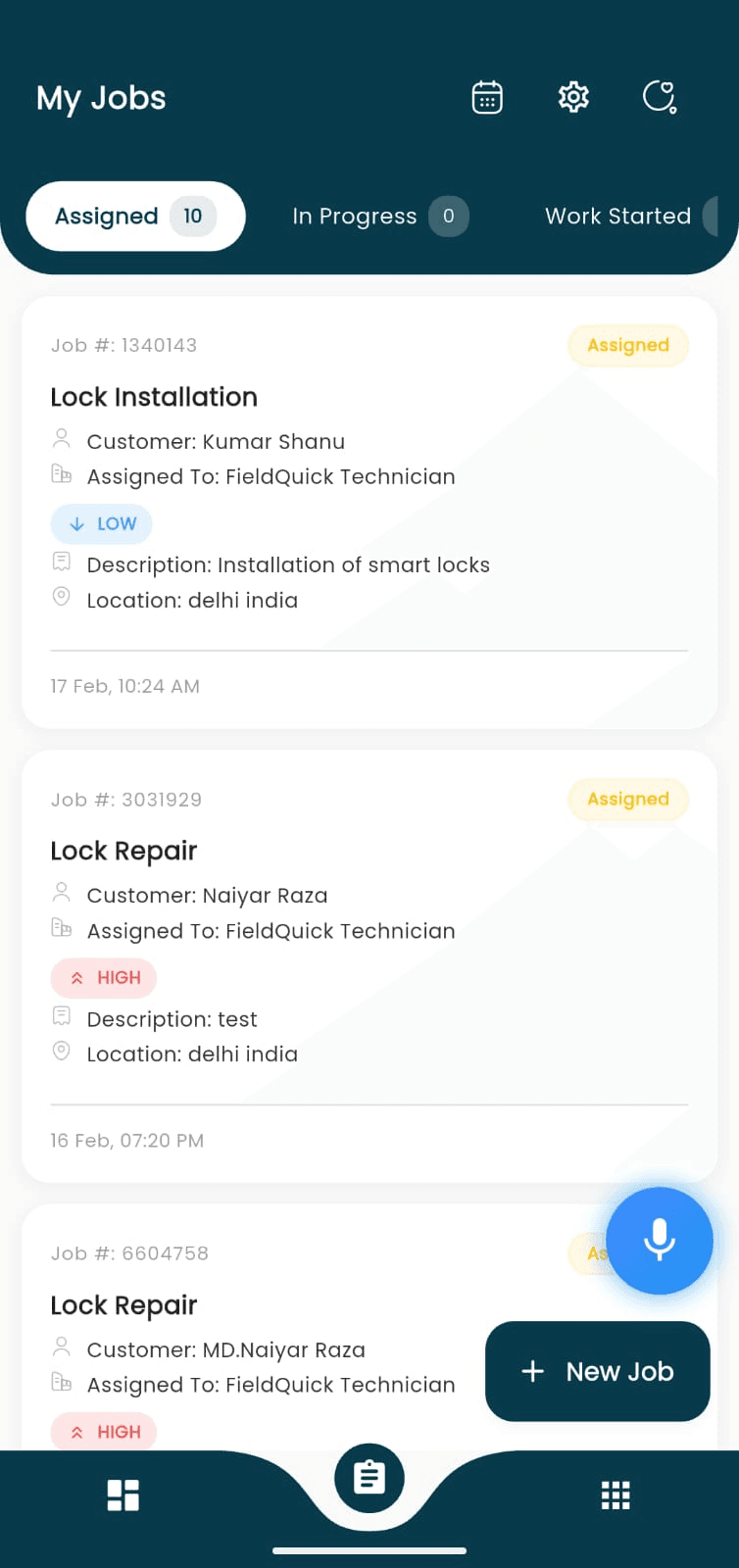
My Jobs, by status
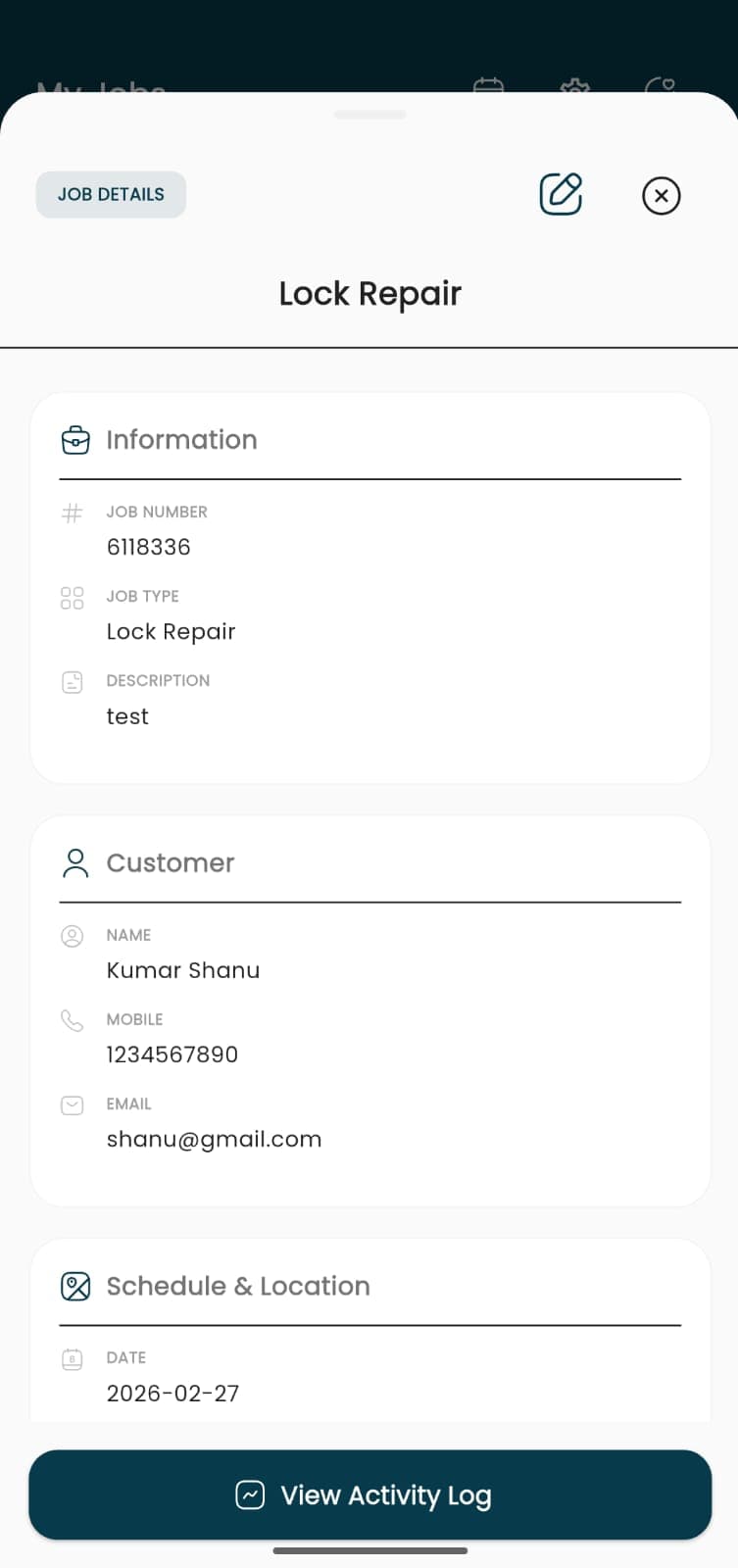
Full job details
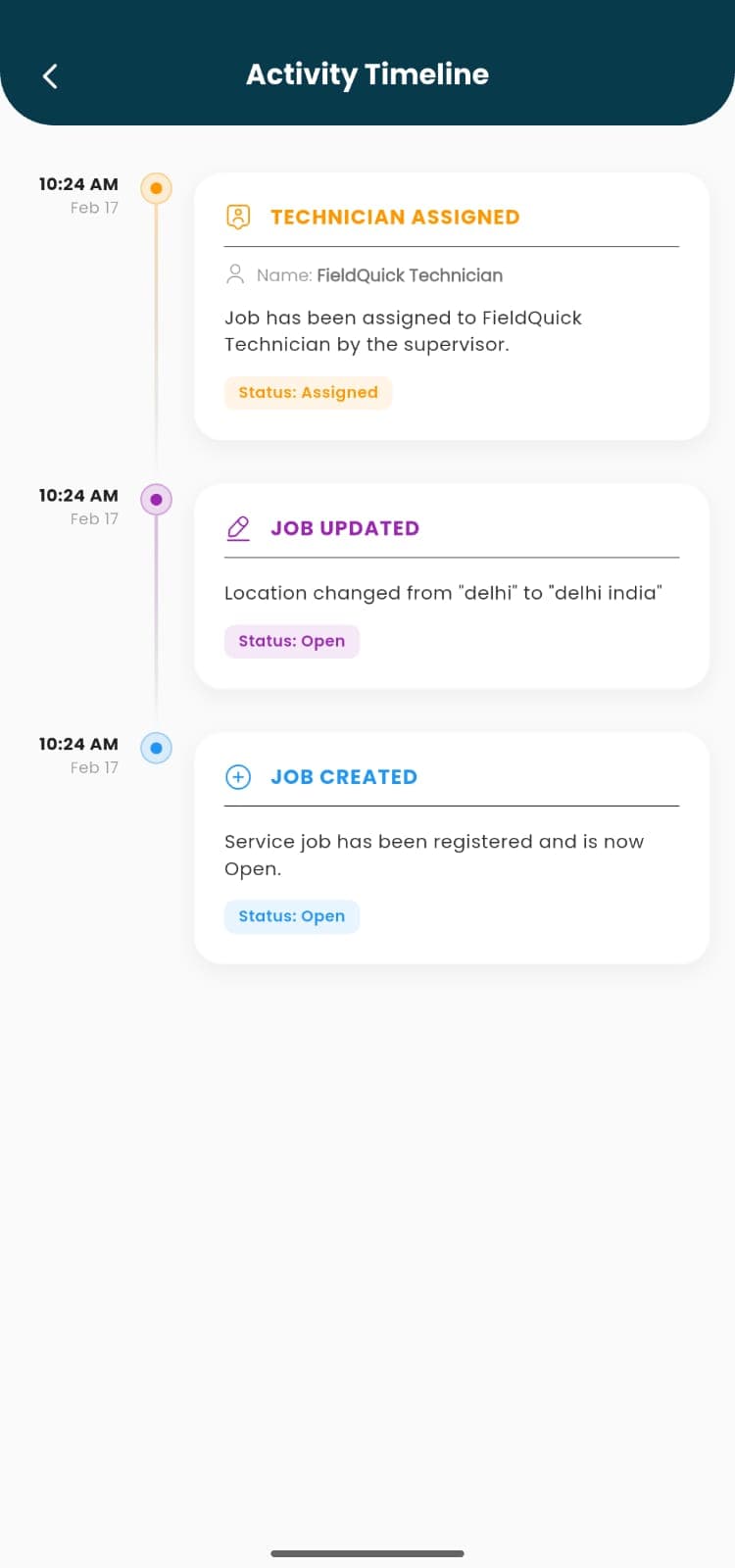
Auto-logged activity
Every feature below ships in the product today — not on a roadmap.
Assign jobs to technicians by territory and availability, with real-time status as work moves from open to complete.
Define coverage areas and assign the right users to them, with a clean empty state instead of an error when nobody's available yet.
Field staff see their job list, customer details, and can update status, capture charges, and message customers from their phone.
Attach custom checklists to any job type and capture photo or video evidence against each step — built-in proof of work for quality and compliance.
Track stock by SKU, category, and location, log every stock movement, and raise a purchase request to a vendor the moment something runs low.
Set up ongoing maintenance plans — monthly, quarterly, or custom — and recurring jobs generate themselves on schedule, no manual re-entry.
Generate invoices straight from a completed job, with regional tax rates and multi-currency support built in.
Send appointment reminders and job updates straight to a customer's WhatsApp using approved templates on Meta's official Cloud API.
Technicians can ask about their schedule, earnings, or a job's details hands-free, with support for regional languages.
Customer issues raised against a job or account are tracked to resolution, separate from the job pipeline itself.
Bring clients, jobs, technicians, and users in from a spreadsheet with field mapping and a preview step, plus a history log to audit every import.
Connect to Zoho or wire up custom outbound webhooks to keep other business systems in sync, with logs to monitor every sync.
Create custom internal roles beyond admin and technician, with granular per-module permissions for exactly who can see and do what.
The technician app itself ships in English, Hindi, Arabic, and Spanish — not just translated prompts, the whole interface.
Currency, phone formats, address fields, and tax rules all adapt to the company's configured country, not hardcoded to one market.
Create a job, assign it to a technician or territory, and it appears instantly on their mobile device.
Technicians update status, capture charges and notes, and close out the job from wherever they are.
A completed job flows straight into an invoice, ready to send or track through to payment.
Get a walkthrough tailored to how your team actually works — no generic demo script.
